

NeuraView is the solution to display, edit, process, annotate and print large documents. NeuraView will read any standard TIFF, JPG, BMP, PDS, PDF, CGM, EMF, and LAS image (color, grayscale, or black & white) and will display that image in the view window. From this interface, you can scroll, zoom and rotate the image. Save and print any desired isolated portion of the image.
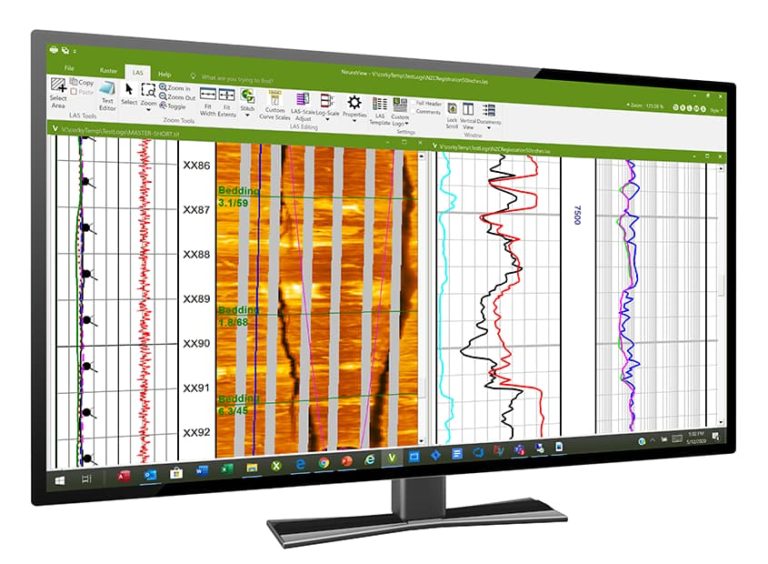
Large documents, such as maps and well logs, require special equipment for scanning and printing and special software to view and manipulate with fast scrolling and zooming.
The need for printing large documents arises as a result of working with and viewing these images. Few desktop publishing and CAD applications have the ability to print large documents. NeuraView was developed as a low-cost solution that can quickly view, scale, crop, and print the large images used in your analysis and digitizing work.
“I recently purchased NeuraView. I have tried a number of image handling software packages and have encountered limitations with all of them – as the page length increased, the image degraded. I want to thank you for providing a real solution to my large log viewing and printing problem.”
Herschel J Cannon, Cannon Digital Services
Load and View TIFF and JPG images – color, greyscale, B&W:
- Rotate – 90, 180, 270, free rotation
- Mirror
- Invert B&W images
- Turn any colors on/off to convert color to B&W image
- Select colors in image or in color bar
- Very large images supported
- Image Properties View
Load and View LAS (Log ASCII Standard) Well Log Format:
- Curve and Track Attributes set with LAS Template
- Customizable LAS Scales
- Well headers displayed in LAS file
- Integrated SendTo Text Editor
- LAS Properties View
- Log (LE), Scanner (SE) and Network (NE) Versions
Load and View Any Number of Documents Together (TIFF, JPG, LAS):
- Scroll and Zoom
- Lock Scroll of all open documents together
- Zoom All open documents to current Zoom
- Tile View and Correlation View to arrange and align open documents
- Select and Copy Area to any Windows Application
Enhanced LAS Support
View and edit LAS files.
- Full LAS header
- Custom Logo
- User Templates
- Curve fill: solid color or gradient fills
PDF Support
So many times PDF’s are delivered in page form with page breaks and can be very difficult to handle. NeuraView will remove the page breaks and create one continuous log file automatically on open. No more taping or stitching of files required.
- Open and export PDF files
- Automatically remove page breaks
Stitch and Crop Images and Image Pieces to New Document:
- Select any number of images or image pieces for Stitching/Cropping
- Move selection
- Resize
- Rearrange
- Rotate
- Remove
- Layer
- View Image Borders for fine alignment in Workspace
- BW/Color/Greyscale – Max # of colors preserved
- Various TIFF DPI – Lowest DPI preserved
- TIFF and JPG – TIFF created
Instant Rescan
Virtually re-scan poor log images. Adjust darkness on log images to clear up quality of curves and grid lines.
Advanced Image Stitching and Splicing
NeuraView now improves its ability to crop and stitch TIFF documents. Image stitching, or pasting together of image pieces, is easy to use and works with both TIFF and JPG files. Newly added cropping features let you eliminate excess borders or unwanted tracks.
- Assemble scanned maps and logs
- Add logos to presentations
- Clean up borders on scanned images
- Crop image pieces to save and print
Annotation & Markup
Annotations may be added and burned into images with a standard easy-to-use editor.
- Adjustable fonts and sizes
- Multi-line text
- Movable text blocks
- Text Borders On/Off
- Insert fills
- Add custom images and shapes
Working with Large Documents
For years Neuralog has been in the business of working with paper and electronic documents. Large documents, such as maps and well logs, require special equipment for scanning and printing and require special software to view and manipulate them on a common desktop computer. Document manipulation such as fast scrolling and zooming has always been a core part of the Neuralog products.
The need for printing large documents arises naturally as a result of working with and viewing these images on your desktop computer. Although various desktop publishing and CAD applications offer a print feature, few, if any, have the ability to print large documents, from the typical user’s workstation, in a timely manner.
Neuralog recognized this technology void and produced a solution that allows our customers to print the images they use.
NeuraView is a lower-cost Neuralog product that can quickly view, scale, crop and print the large TIFF images used in your analysis and digitizing work.
Printing
- Scale or Fit-to-Page print selection
- Tile images to multiple pages Width and/or Height
- Original document or stitched/cropped documents you create
Scanning
- Integrated with the NeuraScanner Well Log Scann
SYSTEM REQUIREMENTS NeuraView* | ||
|---|---|---|
| Minimum Requirements | ||
| Supported Operating Systems | Windows 10 and Later | |
| Processor | Pentium 4 Processor | |
| Disk Space | 75MB | |
| Screen Resolution | 800×600 resolution | |
*Specifications subject to change.
Source: https://www.neuralog.com/product_brochures/Neuralog-Products-Solutions.pdf
Looking for Support?
Featured Products
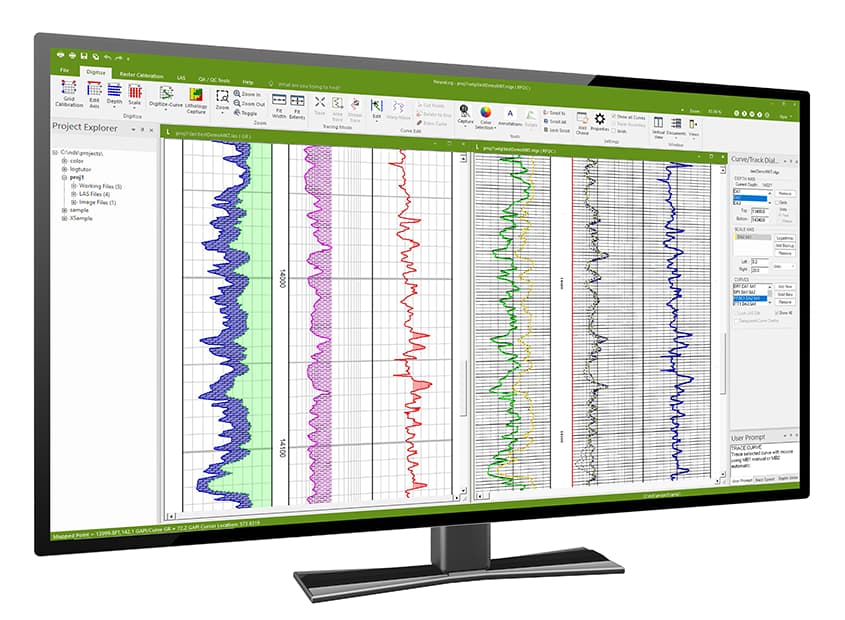
NeuraLog
Accurately convert scanned logs into workstation-ready digital data.
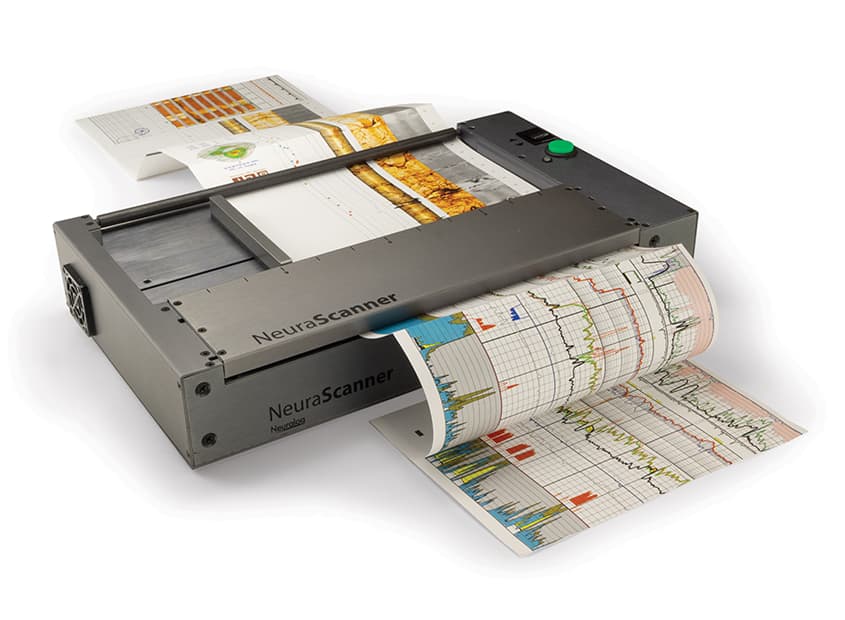
NeuraScanner
Purpose-built for scanning well logs and continuous documents from anywhere.
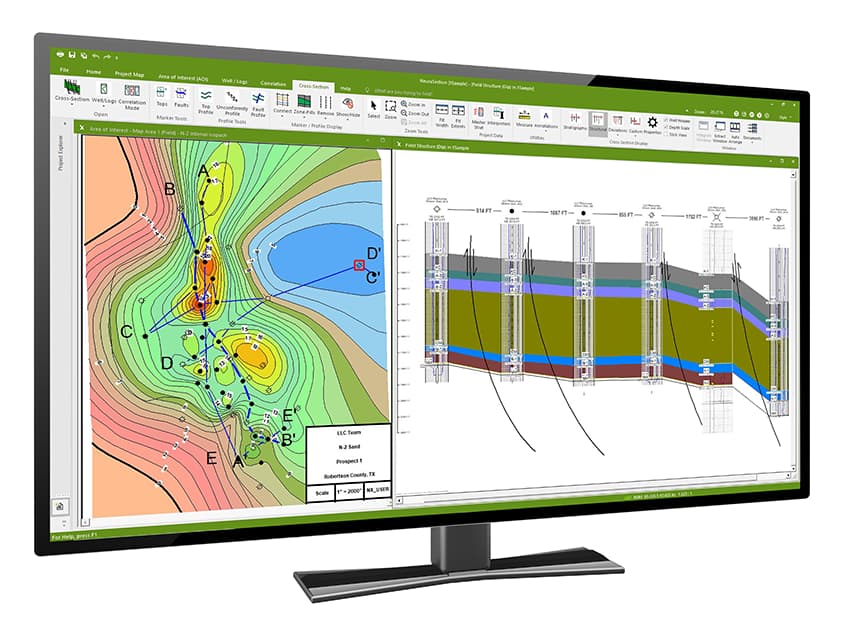
NeuraSection
Evaluate and display all available geological data to efficiently present the total play.